
Picture this: critical operations grinding to a halt, data loss mounting, and productivity plummeting, all due to a power outage. In such a scenario, UPS units have emerged as a saving grace, offering a shield against power failures or dips that follow when the power supply grid falters. However, the efficacy of these systems is highly dependent on the environments in which they operate – a UPS unit can only operate efficiently in the right conditions. If a UPS is subjected to harsh environments and extreme temperatures or if they are neglected and not maintained, their performance will undoubtedly suffer, and your critical load will bear the brunt.
What is an ideal environment for your UPS?
Controlled Climate
Fluctuations in temperature and humidity can mess with the sensitive electronics in a UPS, increasing wear and tear. A controlled climate of between 18 to 22 degrees Celsius, neither too hot nor too humid, with levels below 90% that are non-condensing, prolongs the lifespan of UPS units, ensuring they will keep your business operations up and running when the time comes. Any high humidity environments with condensation on UPS components could result in short circuits within the UPS unit, which can cause the power components of the Insulated Gate Bipolar Transistor (IGBT) inverter or the IGBT rectifier to blow up, resulting in catastrophic results and very high UPS power component repair costs. Certain UPS power components, such as capacitors, are not storable and have long lead times. UPS cooling fan bearings will rust and seize under high humidity environments and require more frequent fan replacements in order to ensure the UPS unit’s reliability and uptime of the load. In short, the better the UPS unit’s environment in terms of temperature and humidity, the lower the running costs and UPS inverter load downtime.
Clean and Dry
Dust and debris can infiltrate UPS components, impede airflow (causing overheating), or even cause short-circuiting. High dust levels will infiltrate internal cooling fans, resulting in accelerated wear and tear of UPS fans and causing premature failure, meaning more frequent replacements over the UPS life cycle. High dust levels will also result in a build-up of dust on power components in the UPS inverter and rectifier as well as affect the signalling cards controlling the UPS, causing abnormal operation and output sinewave distortion or voltage drift in the supply to the UPS unit’s connected loads. UPS systems must not be kept in rooms where dust contains conducting materials such as carbon, copper, or iron dust to ensure load uptime and overall UPS reliability.
Water or any other liquid near the UPS system poses a significant hazard, increasing the risk of electrical shock, short circuits, or corrosion.
Enough Space

UPS systems need room to breathe, both figuratively and literally. Sufficient ventilation prevents heat buildup, ensuring thermal stress doesn’t occur, which is a common culprit behind premature failures. Moreover, ample space aids ease of access for maintenance tasks and creates a safe environment for UPS service personnel to work in, with sufficient exit space in the case of a fire or large fault in the UPS rectifier and or inverter. During the selection of a UPS system for tight spaces, such as often found in cloud storage data centres and computer rooms, for all types of industries, from heavy industrial arc furnaces and C&I control to insurance, banking, and medical imaging equipment, it is essential to take into account that the best UPS to install is one that requires only front access for preventative maintenance as well as any repairs. These UPS units usually have the inverter and rectifier stacks on rack-type systems, such as is used in the Riello AROS MPT, MHT, and MHE UPS systems available, in sizes from 100 to 800 kVA / kW as a transformer-based option for the best reliability. These online double-conversion systems with galvanic isolation of the inverter and its battery DC link from the critical load offer the best reliability while only requiring front access for all types of UPS applications. The Riello NextEnergy, available in 250 to 600 kW parallelable unitary units and parallelable as N+1 or up to 8 units parallel, is another example of a front access UPS unit and is specifically designed as a transformerless alternative for data centres, offering small footprint needs and hence small space requirement. It is equipped with a 3-level high-efficiency inverter for ultimate power saving and lower long-term running costs due to lower losses and requiring smaller cooling plants..
8 Self-Checks for UPS Maintenance
By doing self-maintenance checks on your UPS plant on a daily, weekly, or bi-weekly basis, you can substantially decrease the risk of being left in the dark when you need the UPS backup power most. If your UPS unit is in a remote location, try to perform a self-check at least once a month or opt for an ethernet interface using the Riello SNMP adapter via your building or data centres’ IT network, such as the easily configured Netman 204 or Netman 208 interface or in the case of more industrial type UPS application via the Riello UPS Multicom Profi Bus or Modbus or JBus optional interface cards. The Riello and Pureline UPS ranges are available with numerous monitoring and reporting interfaces, as well as the free downloadable Powershield or Power Manager software for remote live time monitoring. It is important when considering these communication and monitoring options that the right version of software be selected, for example, SNMP version 1 or version 3. All Business owners or trained staff should do the following eight checks:
- UPS and Battery Room Temperature
Maintaining a consistent temperature is crucial for the optimal performance and longevity of UPS systems and their backup batteries. Temperature fluctuations beyond the recommended range can accelerate battery degradation and compromise the overall effectiveness of the UPS unit. Battery environment temperatures in excess of 25 degrees Celsius result in battery dry-out with sealed VRLA batteries such as ELITE and Sacred Sun SP or SPG or HRL, valve-regulated lead acid or sealed battery product ranges, which are designed for specific use in high-rate discharge applications, such as UPS units which will negatively affect the battery design life expectancy and in-service life from 12, 10 years or 5 years depending on product design, down to as little as 2 or 3 months.
When UPS backup batteries are subjected to high heat, they lose more water, causing drying out of the battery blocks, resulting in swelling and ultimately pushing out the battery container lid, exposing the battery plates and imposing a high fire risk and or battery explosion. Old lead acid UPS batteries at the end of life, if ignored and a battery replacement not done timeously, will catch fire, and the soot from burring batteries causes severe room pollution and damage with a burning smell that just never goes away no matter how hard you clean and or repaint. Implementing temperature control measures, such as HVAC systems available countrywide from reliable AC cooling companies such as Winning Air and, at times, higher thermal insulation, helps stabilize the environment within the recommended range. Effective environmental monitoring through your UPS system interfaces, such as the Riello environmental monitoring interface, will help prevent any temperature-related issues with added live reporting of temperature, moisture, and UPS operation.
- Visually Inspect the Batteries
Regular visual inspections of high-rate ELITE VRLA UPS batteries are needed to identify early signs of deterioration or physical damage. Look for any deformation of battery cases, traces of leaking acid, or corrosion on battery terminals. These visual clues indicate underlying issues such as overheating, overcharging, battery aging, and the end of service life. Timely maintenance or replacement will alleviate potential failures and ensure UPS reliability and uptime.
- Does it Smell of Sulphur or Rotten Eggs?
A sulphur or rotten egg odour near the UPS or in the separate battery room signals a possible fault within the batteries or overcharging, which will result in excessive water loss from the electrolyte. This distinct smell often indicates battery leakage or out-gassing of sulphur compounds, which form part of the battery’s electrolyte used in lead-acid batteries, or even high levels of hydrogen, which is odourless, causing an explosion risk, all of which pose serious safety and operational risks. Immediate reporting of such odours is essential to address the underlying issue to prevent further damage. The battery charge voltage and charge current settings of a UPS battery charger are critical to ensure proper backup battery operation, optimum service life, and longevity of the backup battery bank.

- RIELLO UPS LCD Panel Operation
Monitor the UPS front LCD panel, LED status indication, and graphic display regularly to ensure they are functioning correctly and displaying relevant operational information. The LCD panel provides insights into the status of the UPS unit, including input/output voltage, battery charge level, battery status, notifications, and alarms. It includes an event history of up to 190 events on the Riello MPT and MHT. Any anomalies in the displayed information should be promptly addressed.
- Alarms Displayed and Audible Alarms
Monitoring UPS alarms locally and remotely is essential to detect and address issues before they escalate into failures. Regularly check the UPS front display panel for any active alarms or error codes and investigate the cause of each alarm to prevent recurrence. In the event of a fault being reported, immediately contact Standby Systems service and technical support centres. Additionally, ensure that alarms are functional and audible, alerting personnel to any irregular situations requiring attention. It is also a good idea to install a remote alarm panel such as the Riello Multi-panel so that any UPS or battery-related problems can be relayed to a security room or even interface the UPS with buildings or C&I communication interfaces.
- Keep Liquids Away from the RIELLO UPS System
Ensure that the UPS installation site is dry and free from any potential sources of liquids. Implementing appropriate containment measures or installing moisture barriers such as bund walls can help safeguard the UPS equipment against water-related damage. Avoid installing air conditioners or water and sewerage piping above a UPS as a leak can result in a catastrophic failure of the UPS as a result of a short circuit; this leak will creep into the UPS rectifier and inverter, which both operate at very high DC voltages and currents. With UPS units installed against the wall requiring front access only, the cooling fans have to be located on the top of the UPS, so if there is any chance of water dripping or entering the UPS from the top, then an IP31 drip tray is best fitted to the top of the UPS panel. If installing a bund wall in a UPS or VRLA battery room, first ensure that the equipment is placed before the bund wall is constructed for ease of rigging. Bund walls should not be reinforced concrete but rather a wall that is easily broken out to allow for easy UPS removal, upgrade, or replacement at the end of life.
- Fan Operation and Noise Levels
Verify that all cooling fans are operational and running smoothly. Abnormal noise levels or erratic fan operation may indicate impending fan failure or obstruction, requiring immediate inspection. Ensure that nothing obstructs the airflow to or from the UPS system, including debris, cables, or other equipment. Impeded airflow can inhibit heat dissipation, leading to overheating and reduced system reliability. Regularly inspect the surroundings of the UPS installation site and clear any potential obstructions to maintain optimal airflow and cooling efficiency.
Proper ventilation is vital for dissipating heat generated by the UPS system power components such as the IGBT rectifier, in particular, six-pulse technologies like those available in the Reillo MPM from 10 to 100 kVA and the Riello MPT 10 to 200 kVA as well as the IGBT inverters and their associated output transformers offering galvanic isolation and preventing thermal stress on internal components.

- Is the UPS Fan Blocked or Clogged?
Ensure that nothing obstructs the airflow to or from the UPS system, including debris, cables, or other equipment. Impeded airflow can inhibit heat dissipation, leading to overheating and reduced system reliability. Regularly inspect the surroundings of the UPS installation site and clear any potential obstructions to maintain optimal airflow and cooling efficiency.
Read our blog, A Comprehensive Guide to UPS and Battery Maintenance During South Africa’s Eskom Challenge, for more information on maintenance and self-checks.
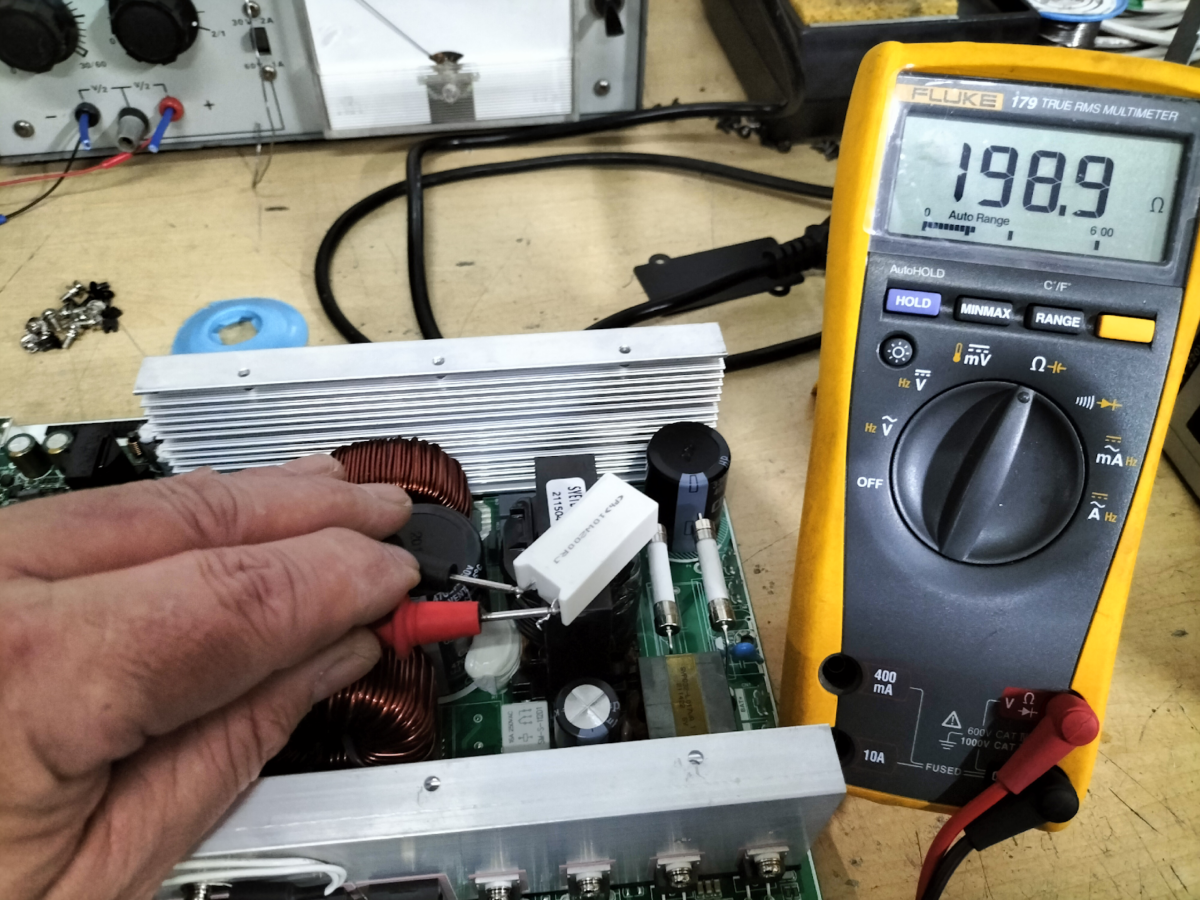
Over and above self-inspection, once or twice a year, you should have a factory-trained technician inspect your UPS unit, upgrade firmware and software, and check its associated batteries. This includes a short battery discharge test to look for issues that a self-inspection may overlook. In this case, contact a reputable UPS supplier like Standby Systems with qualified UPS technical staff.
What Do Technicians Look for During a UPS Service

- Firmware and Software Updates
UPS Technicians will check the firmware and software versions for RIELLO UPS systems and do any updates as needed for optimal performance to ensure minimal losses and inverter load security. They will ensure the UPS utilizes the latest available features provided by the manufacturer. Fortunately, modern UPS systems, such as those supplied by Standby Systems, use technologies such as IGBTs, which do not exhibit wear and tear over operational life, unlike UPS fans, capacitors, and VRLA-sealed batteries.
- Components Check
Measure internal components like AC and DC filtering capacitors to ensure they meet manufacturer specifications and offer the right filtering to ensure that DC ripple voltage on the UPS DC link is minimal, which greatly assists in continued reliable battery service life. Reduce the noise on the inverter output to ensure that the connected critical loads are fed with pure sinewave UPS power and whether they need replacing. Calibrate parts as necessary to verify that the UPS measurements are within tolerance.
- Functional Testing
Technicians will transfer the UPS to static bypass and then manual bypass (where possible). Part of the test includes a simulated mains failure or, in the case of the Riello range, a battery test initiation in a controlled manner to test the UPS response without interrupting the business operations. This will help them spot any potential flaws that could cause failure when the UPS and its battery are really needed.
- Life Cycle Check
UPS Technicians from Standby Systems are OEM factory trained at Riello UPS’s facilities in Cormano, Milan, Italy, as well as at Standby Systems in-house and ongoing training facilities offering highly skilled UPS expertise in assessing product lifecycle at component and unit levels and make recommendations based on factors like age, condition, and environmental suitability.
These recommendations may include corrective works, overhauls, or replacement of parts such as UPS cooling fans, UPS Capacitors, and high-rate ELITE VRLA (valve-regulated Lead Acid) backup batteries. These are all medium-term consumable items used to produce and operate the UPS at optimal performance and emergency backup power supply availability. They may also include efficiencies for a greener environment or possibly even the UPS as a whole.
Conclusion
By keeping your business’s UPS in the recommended environment and ensuring that the self-maintenance checks are done regularly, you can ensure that your UPS will not fail in times of need when power outages or bad power quality threaten your business, productivity, and safety. Should you require a professional inspection, contact Standby Systems. Our experienced technical team is ready to advise you on the best UPS system and battery solutions for your business or industry’s needs and assist in servicing your UPS. Visit Standby Systems’ website or contact us at 011 794 2541 for sales, 011 794 3406 for services or WhatsApp at 082 450 2361.